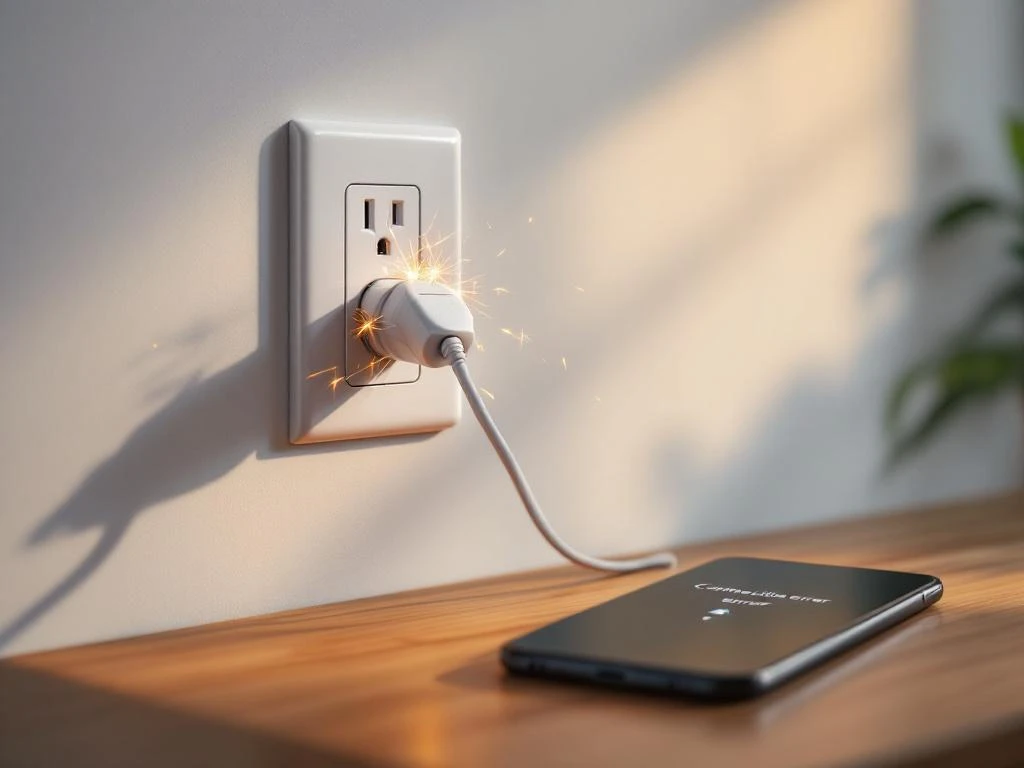
When smart power sockets don't work, it's usually due to Wi-Fi connection issues, failed firmware updates or app-device conflicts. Other common causes include router settings blocking devices, cross-platform compatibility issues, or simply that the socket has lost contact with your network after a power outage. Most of these problems you can solve yourself with basic troubleshooting.
What are the most common reasons for smart sockets to stop working?
Wi-Fi connectivity issues are by far the most common reason for smart power outlets to stop working. Your socket needs a stable connection to the router to receive commands from your app or voice control. When the signal is too weak or when the router changes channels automatically, the socket can lose connection completely.
Power outages often create problems for smart sockets as they can lose their saved configuration when the power comes back on. Some outlets automatically reconnect to your Wi-Fi network, while others need to be manually reconnected. This is particularly common if you have had extended power cuts in your area.
App conflicts occur when the manufacturer's app is updated but does not work properly with older firmware in the socket. You can also run into problems if you have multiple smart home apps trying to control the same device at the same time. Some sockets work with both the manufacturer's own app and third-party apps such as Google Home or Apple HomeKit, which can create conflicts.
Failed firmware updates are another common problem. If the update is interrupted in the middle of the process, the socket may end up in a state where it does not work with the old or new software. This often happens if the Wi-Fi connection is interrupted during the update or if the socket is unplugged too early.
Router settings can block smart power outlets without you being aware of it. Many modern routers have security features that limit which devices can connect to the network. If your router uses both 2.4 GHz and 5 GHz bands, the socket may have problems if it only supports 2.4 GHz but the router tries to force it into the 5 GHz band.
Compatibility issues between different platforms are also common. A socket that works perfectly with Google Home may not communicate as well with Amazon Alexa or Apple HomeKit. This is because different manufacturers use different protocols and standards for their smart home systems.
How to troubleshoot smart sockets that do not connect to Wi-Fi?
Start by checking the Wi-Fi signal strength where your smart socket is located. Use your smartphone to see how many bars the Wi-Fi connection has in the same location as the socket. If the signal is weak, this could be the cause of the problem. Smart sockets need a stable connection to work reliably.
Check that your router is transmitting on the correct frequency. Most smart plugs only work with the 2.4 GHz network, not 5 GHz. If your router has a combined network where both frequencies use the same name, you may need to create separate networks for each frequency. Go into your router's settings and make sure the 2.4 GHz network is active and visible.
Reset the socket to factory settings if it still does not connect. The method varies between manufacturers, but usually you hold a button on the socket for 5-10 seconds until a light starts flashing. This will erase all saved settings and allow you to start over with the installation.
Uninstall and reinstall the app on your smartphone. Sometimes old settings get stuck in the app that prevent proper connection. Reinstalling the app will give you a clean start and allow you to add the socket as if it were new. Make sure that your smartphone is connected to the same Wi-Fi network that the socket will use during installation.
Place the socket closer to the router during the installation process. Even if you later want to use the socket further away, it can help to have it close to the router when you connect it. Once the connection is established, you can move the socket to the desired location and test that it still works there.
Restart your router by unplugging it for 30 seconds and plugging it back in. This may solve temporary problems with the router's handling of connected devices. Wait until the router has fully restarted before trying to reconnect the socket.
Why do my smart sockets no longer respond to commands?
When previously working smart sockets suddenly stop responding, it's often due to changes in your network that you may not have even noticed. If you've changed your Wi-Fi password, upgraded your router or changed your network name, you'll need to reconfigure all your smart sockets. They will not automatically adapt to the new settings.
App updates can cause conflicts with older sockets. Manufacturers update their apps regularly, but sometimes the new versions do not work as well with older hardware. If the problem started right after an app update, try uninstalling and reinstalling the app, or check if there is a firmware update for your socket.
Wi-Fi network congestion affects the responsiveness of smart home devices. If you have added a lot of new devices to your network, the router may have difficulty handling all the traffic. Smart power sockets often have a lower priority than computers and smartphones, which means they can get slower responses or lose connection when the network is congested.
Problems with the manufacturer's cloud services can make your sockets unresponsive, even if they have perfect Wi-Fi connectivity. Many smart sockets communicate through the manufacturer's servers, not directly with your app. If these servers have problems or are down for maintenance, the control will not work. This is not something you can fix yourself, but you will have to wait for the manufacturer to fix the problem.
Device memory limitations in older sockets can affect how quickly they respond to commands. If the socket has been switched on for a long time without rebooting, its internal memory can fill up with log files and temporary data. Unplugging the socket for 30 seconds and plugging it back in can help by clearing the memory and giving the device a fresh start.
How can I prevent future problems with my smart sockets?
Regular firmware updates are important to keep your smart sockets working and safe. Check the manufacturer's app for available updates at least once a month. Perform the updates when you have time to monitor the process and make sure that the Wi-Fi connection is stable throughout the update.
Optimal placement of router and socket makes a big difference to reliability. Place the router in the center of the home in an open area, not inside cabinets or behind furniture. Avoid placing smart sockets behind large metal objects or thick walls that block the Wi-Fi signal. If you have range issues, consider Wi-Fi boosters for better coverage.
Network maintenance should be done regularly to keep your smart home working. Restart your router once a month to clear temporary problems. Check which devices are connected to your network and remove old devices you no longer use. This will free up resources and make the network more stable.
Using dedicated networks for smart home devices can improve both performance and security. Many modern routers allow you to create guest networks or separate networks for different types of devices. By having your smart power outlets on their own network, you protect your main network while gaining better control over device management.
Security aspects are important to consider with smart sockets. Use strong passwords for both your Wi-Fi network and the manufacturer's app. Enable two-factor authentication if available. Buy sockets from well-known manufacturers that update their software regularly and take security seriously.
When you need professional help depends on the nature of the problem. If your smart outlets frequently lose connection despite following all the troubleshooting steps, there may be electrical issues in the home affecting the devices. We can help you with advanced installations, network configuration for smart home systems and troubleshooting electrical issues affecting your devices. Contact us on 08 40 24 240 if you need expert help with your smart sockets or other safety technology solutions.